
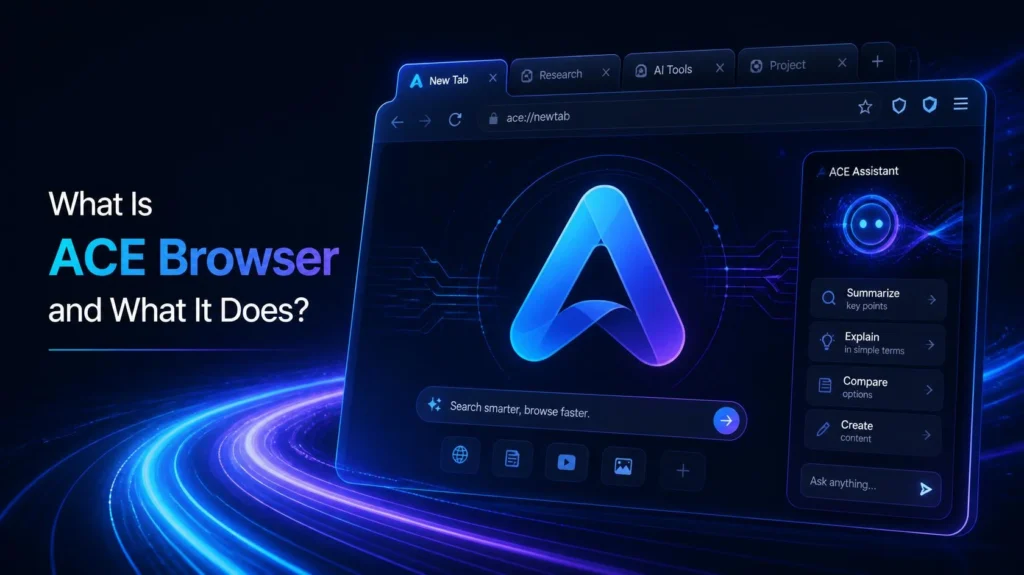
If you’ve heard the name “Ace Browser” recently, there’s a decent chance it wasn’t from an ad. It was from a virus-removal guide, a Reddit thread about a hijacked homepage, or a Windows Defender complaint. That’s not an accident, and it’s the first thing worth clearing up.
There is a real product called Ace: a Chromium-based desktop browser built around an AI assistant named Nova, made by a small startup operating at ace.ai. There’s also a separate, similarly named piece of software called AceLauncher that keeps turning up in browser-hijacker cleanup guides. And confusingly, there are at least two unrelated mobile apps that also use “Ace Browser” in their name. This piece covers all of it, starting with the actual browser.
The Short Version
Ace is a free-to-start, Chromium-based browser for Windows and macOS. Its main pitch is Nova, an AI assistant built into the browser itself rather than bolted on as an extension. It sits in the same general category as Perplexity’s Comet, OpenAI’s Atlas, and The Browser Company’s Dia, though it’s a much smaller name than any of those three.
| Developer | Ace (operating at ace.ai; listed by startup database Tracxn as San Francisco-based) |
| Engine | Chromium (open source) |
| Platforms | Windows, macOS |
| AI assistant | Nova |
| Pricing | Free tier with daily usage caps; paid Premium tier for higher limits |
| Category | AI-first / agentic browser |
| Official site | ace.ai |
What Nova Actually Does
Nova is built into the browser’s address bar and side panel rather than living as a separate chat window you have to open. Based on Ace’s own product pages, its core functions are fairly typical of this browser category:
- Answering questions and summarizing pages without switching tabs
- Searching across sites for research-type tasks — comparing prices, pulling together travel or planning information, that sort of thing
- Flagging suspected phishing and scam pages as you browse
- Keeping a running sense of what you’ve read and searched recently, so you can pick a task back up without digging through history
None of that is unusual for an AI browser in 2026. What’s worth noting is what Ace is not: it’s not one of the fully agentic browsers, like Comet or Atlas, that can independently click through multi-step tasks such as filling out forms or completing a purchase. Nova is closer to a research and summarization assistant than an autonomous agent.
How Ace Browser Stacks Up Against the Bigger Names
The “AI browser” category got crowded fast in 2025 and 2026. Here’s roughly where Ace sits next to the browsers people actually talk about:
| Browser | Maker | Standout feature | Platforms | Free tier |
|---|---|---|---|---|
| Ace | Ace | Nova assistant, phishing detection | Windows, macOS | Yes, with daily caps |
| Perplexity Comet | Perplexity | Fully agentic browsing, cited answers | Windows, macOS, iOS, Android | Yes, fully free |
| ChatGPT Atlas | OpenAI | Deep agentic tasks tied to ChatGPT history | macOS (at launch) | Limited, paid tiers for full agent features |
| Dia | The Browser Company (acquired by Atlassian) | Custom AI “Skills,” omnibox-as-command-center | macOS, Windows | Yes, paid Pro tier available |
| Brave Leo | Brave | Privacy-first, supports local/on-device models | Windows, macOS, Linux, Android, iOS | Yes |
A few honest observations from putting that table together: Ace doesn’t show up in most 2026 roundups of leading AI browsers, which tend to focus on Comet, Atlas, Dia, and Brave Leo. That doesn’t make it a bad product, but it does mean you’re looking at a niche entrant rather than one of the category’s major players. Worth knowing before you build a workflow around it.
The Part That Actually Matters: The Name Confusion
This is where “what is Ace Browser” gets more complicated than a typical product explainer, and it’s the reason a straightforward feature list wouldn’t do the topic justice.
Search “Ace Browser removal” and you’ll find cybersecurity guides, not app store listings. Security research firm GridinSoft documents a pattern where a similarly named program, AceLauncher, arrives bundled with other downloads, changes a browser’s default search engine, and resists normal uninstallation. Its own detection engine flags the associated installer as “PUP.AceBrowser,” meaning a potentially unwanted program rather than outright malware. There’s also a Microsoft Q&A thread from a user whose browser kept getting overridden even after repeated removal attempts.
A few things are worth separating out here:
AceLauncher is not the same product as Ace, the AI browser this article opened with, though the two names are close enough that people — and even some cleanup guides — mix them up. GridinSoft’s own write-up notes that Ace and AceLauncher publish separate uninstall instructions, which suggests they’re distinct pieces of software even if they get lumped together in casual complaints.
How Ace or AceLauncher gets onto your machine is what determines the risk. GridinSoft is fairly explicit that neither is “automatically a Trojan.” The problem shows up when either one arrives through a bundled installer, a fake “update” button, or one of those quiz-style ad pages, rather than a direct download from the company’s own site. Installed that way, and later showing up as unremovable or reasserting itself after a reboot, is the pattern that gets flagged as a browser hijacker.
Ace itself seems to be aware of the confusion. The company runs a support article specifically titled “Is Ace browser safe?” that addresses how to tell the legitimate product apart from software using a similar name, along with a dedicated uninstall guide for anyone who wants it off their machine.
Which “Ace” Are You Actually Dealing With?
| If you’re seeing this… | It’s probably… |
|---|---|
| An AI assistant panel called “Nova” in a desktop browser you installed from ace.ai | The legitimate Ace browser |
| A browser or desktop dock you don’t remember installing, changing your default search engine | AceLauncher or a bundled installer — worth removing |
| “Ace Browser – Fast & Smart” on the Google Play Store | A different, unrelated Android browsing app with news and weather features |
| “Search Ace” on the Apple App Store | A different, unrelated iOS ad-blocking search browser |
If You Want to Try Ace Safely
Basic download hygiene solves most of the risk here, and it’s the same advice security researchers give for any lesser-known browser:
- Download directly from ace.ai — not from a pop-up, a “recommended download” on an unrelated site, or a quiz-style ad
- Choose custom install if the installer offers one, and decline any bundled extras
- If something called Ace, AceLauncher, or AceSetup.exe shows up on your PC and you don’t remember installing it, treat it as unwanted: uninstall through Windows Settings, then check your browser’s default search engine and startup extensions
- If your browser keeps reverting to a new default after you’ve removed it, that’s usually a leftover startup task or extension rather than a failed uninstall — worth a second pass
Should You Actually Use Ace Browser?
That depends on what you’re looking for. If you already use Chrome, Edge, or Brave, you likely have comparable AI features available through Gemini in Chrome, Copilot in Edge, or Brave’s Leo, without switching your default browser at all. Ace’s main argument for existing is Nova being built into the core browsing experience rather than added on, which some people prefer and some find unnecessary.
If you specifically want an agentic browser that can complete multi-step tasks on its own, Comet or Atlas currently go further than Ace does. If privacy is the priority, Brave Leo’s support for local models is a more established option. Ace’s niche is smaller: a lightweight, Chromium-based browser with a built-in assistant, aimed at people who want AI search and summarization without much else changing about how a browser works.
FAQ
Is Ace Browser the same as AceLauncher?
No. They’re different products that share a similar name, which has led to real confusion in support forums and malware-removal guides. Ace publishes a separate uninstall guide from AceLauncher’s.
Is Ace Browser free?
Yes, with a free tier that includes daily usage caps on the Nova assistant. A paid Premium tier removes those limits.
Is Ace Browser safe to install?
Downloaded directly from ace.ai, it functions as a standard Chromium browser. The safety concerns documented by researchers involve a similarly named program arriving through bundled installers or deceptive download prompts, not the officially distributed browser itself.
What is Nova?
Nova is the AI assistant built into the Ace browser. It handles page summarization, research-style search, and phishing detection from within the browser rather than as a separate extension or app.
Why does Ace Browser show up in antivirus and removal guides?
Because a similarly named program, AceLauncher, has a documented pattern of arriving through bundled installers and changing browser defaults without clear consent. Security researchers treat it as a potentially unwanted program when it arrives that way, not as a virus by default.
Bottom Line
Ace is a real, if fairly small, entry in the crowded AI browser space, built around an assistant called Nova. It’s worth knowing about mainly for two reasons: it’s one more option if you’re comparing AI browsers, and its name overlaps with software that has a documented history of unwanted installs. If you go looking for it, get it from ace.ai directly, and if something named Ace shows up on your computer that you didn’t put there, that second category is almost certainly what you’re dealing with.

Pingback: Brave browser's New Email Aliases Feature: How It Works