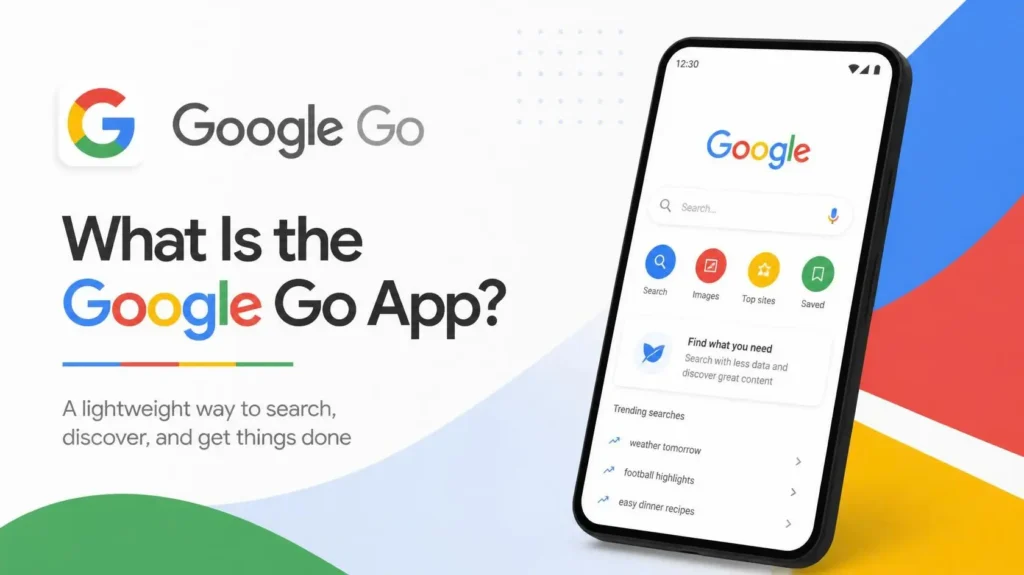
Google Go is a stripped-down version of Google’s search app for Android phones that have limited memory, storage, or mobile data. It is the default search app on Android Go devices. If you have ever picked up a budget phone with 2GB of RAM and wondered why the Google app looks a bit different, this is probably why.
The short version: it does the core jobs of the Google app (search, voice search, image search, camera translation) while taking up far less room and using less data. It also gives up a few things to get there. This article covers what it does, where it came from, what changed in 2026, and whether you need it.
Google Go at a glance
| Detail | What to know |
|---|---|
| Developer | Google LLC |
| Platform | Android only |
| Built for | Entry-level phones, mainly those running Android (Go edition) |
| Price | Free on the Google Play Store |
| Install size | About 12MB according to the Play Store listing (varies by device) |
| Updated version needs | 2GB of RAM or more, per Google’s help page |
| Main extras | Lens, listen-to-page, AI Mode, Gemini in supported countries |
Where Google Go came from
Google Go belongs to a family of “Go” apps that Google built for low-end phones. Android (Go edition), the lighter version of the operating system these apps run on, first shipped with Android 8.1 in December 2017. Google Go arrived in preview for India and Indonesia that same month, then reached more emerging markets in 2018.
The early pitch was about data. Google said at the 2018 launch that the app used its compression technology to show search results with up to 40% less data. It also cached results on the phone, and it retried failed searches in the background when the connection dropped. That behavior was described at launch, so the current version may handle it differently.
In August 2019, Google opened the app to everyone. The company said at the time that it was becoming available to all Android users worldwide, and that it had been designed mainly for people in emerging markets with unstable connections. A 2019 report noted that almost half of its users were in India.
| Year | Milestone |
|---|---|
| December 2017 | Preview in India and Indonesia, alongside Android Oreo (Go edition) |
| 2018 | Wider rollout to emerging markets and preloading on low-end phones |
| August 2019 | Global release on the Play Store for Android 5.0 and above |
| June 2026 | Gemini Go begins rolling out to Android Go phones |
What the Google Go app can do
The Google Play listing describes a fairly short feature set. You can search by typing or by voice, tap through trending topics, search for images and GIFs, and set a second language to switch results back and forth. There is also a listen feature that reads a web page aloud and highlights the words as it goes.
The camera tool is the one most people end up using. Lens Go lets you point your phone at written text to translate it, hear it read aloud, or search the web for similar phrases. That helps with signs, forms, and product labels in a language you do not read.
The home screen also works as a shortcut board. You can add favorite apps and sites to it, and remove or reorder them later.
What changed in 2026
This is the part older articles get wrong. Most coverage still repeats the 2019 line that anyone can install Google Go. Google’s current help page tells a different story.
The updated app runs on devices with 2GB of RAM or more, and Google says it is only available to Android Go users. Phones with less than 2GB can keep using a legacy version, but it will not receive new updates.
The update also brought in features the old app lacked. Google lists AI Mode, Dark Mode, and full Google Lens support, with Gemini available in supported countries. There are trade-offs too. Incognito mode now sends you to Chrome, and the Listen and Translate tools come in simplified versions.
Then there is Gemini Go. In June 2026, Google began rolling out this streamlined version of Gemini to replace Google Assistant on Android Go phones with at least 2GB of RAM. On these devices, Gemini lives inside the Google Search app rather than as a separate download, and the rollout is gradual, so it may not have reached every phone yet. Google’s help pages also note that the standalone Gemini mobile app does not support Android Go.
Google Go vs the regular Google app
| Google Go | Google app | |
|---|---|---|
| Target phones | Android Go devices | Standard Android phones |
| Install size | Small (around 12MB listed) | Considerably larger |
| Data use | Built to save mobile data | Standard |
| Incognito mode | Redirects to Chrome | Built in |
| Listen and Translate | Simplified versions | Full versions |
| AI Mode | Yes | Yes |
If your phone shipped with Android Go, you will likely not get a choice. The Go version is what the phone is built around. On a regular phone with plenty of storage, the standard Google app is the better fit.
Who actually needs Google Go app
Google Go makes sense in a few situations:
- You use an Android Go phone with 2GB of RAM or less
- Storage is nearly full, and you want one fewer heavy app
- You are on a slow or expensive mobile connection
It makes less sense if you want every feature of Google Search. Some recent Play Store reviewers describe the app as too basic and say they would rather switch back to the standard Google app but cannot. One August 2026 review complained that Lens only handles text now and that voice search routes through the Assistant. Those are individual opinions, but they point to the real cost of a lighter app.
How to set up Google Go
Most Go phones already have the app. If yours does not, or it is out of date, open the Play Store, find Google Go, and tap Update. If the button says Installed, you already have the latest version.
For voice search, tap the microphone at the bottom of the screen and speak in short phrases. To change languages, open Settings from the top right corner and pick the app language. The settings menu also lets you switch Google Accounts, manage your search history, and delete your Web & App Activity.
Privacy and data
Google’s Play Store data safety section states that the app does not share data with third parties, encrypts data in transit, and allows you to request deletion. It may collect data types including location and personal info. That is a developer-supplied declaration, so check the full section on the listing and your Google Account’s activity controls if privacy matters to you.
Frequently asked questions
Is Google Go free?
Yes. It is a free download from the Play Store.
Is Google Go the same as Google?
No. They share the same search engine, but Google Go is a smaller app with fewer features, made to run on low-end hardware.
Can I use Google Go on any Android phone?
Not according to Google’s current help page, which says the updated app is only for Android Go users. On a regular phone, the standard Google app is the one to use.
Does Google Go use Gemini?
In supported countries, yes. On Android Go phones, Gemini is delivered through the Google Search app, and Gemini Go is rolling out gradually.
Does Google Go work offline?
Not as a full offline search tool. At launch, Google said it cached earlier results and retried failed searches once you reconnected. You still need a connection for new queries.